

Batery Casino App: The Ultimate Mobile Gaming Guide
Blast off with batery casino's cosmic welcome package - up to $6,000 bonus 500 free spins across five stellar deposits!

Ditching the Desktop: The Batery Mobile Experience
A lot of older casinos simply took their desktop website and awkwardly squished it down to fit a phone screen. You end up with tiny, unreadable text, buttons you can't click without zooming in, and games that constantly crash or drain your battery in twenty minutes. It is an incredibly frustrating experience.
The team behind Batery clearly took a mobile-first approach. From the moment you load the platform on your phone, it feels like native software. The dark, sleek interface is perfectly optimized for touchscreens. The menus slide away cleanly when you don't need them, the search bar is always within thumb's reach, and the graphics pop beautifully on modern OLED displays. Most importantly, the cloud-based infrastructure means the games load blazingly fast, even if you are just running on a standard Canadian cellular connection rather than home Wi-Fi.






How to Get the Batery Casino App
Getting set up on your phone is a breeze, but the process looks a little bit different depending on what kind of device you are using in your daily life. Because the major app stores have complicated, constantly changing rules about real-money gaming apps, Batery has made it incredibly easy to bypass the red tape and get the software directly from the source.
Batery Casino App for Android (APK)
If you are an Android user, you get access to a dedicated, downloadable application. Because the Google Play Store often restricts casino software in certain regions, you download the app directly from the casino's secure website. Here is exactly how you do it:
- Visit the Site: Open Chrome on your phone and navigate to the official Batery website.
- Find the Download Link: Scroll to the bottom of the page or check the main menu for the "Android App" or "Download APK" button.
- Allow Permissions: Your phone will likely warn you about installing an app from an "Unknown Source." This is a standard Android security prompt. Go to your settings and temporarily allow installations from your browser.
- Install and Play: Tap the downloaded file, hit install, and the Batery logo will appear on your home screen. You are fully ready to log in and play.
Batery Casino App for iOS
If you are heavily embedded in the Apple ecosystem with an iPhone or iPad, you don't even need to worry about downloading an APK or fighting with the App Store. Batery utilizes highly advanced Progressive Web App (PWA) technology for iOS users. This gives you the exact look, feel, and performance of a native app without eating up any actual storage space on your device.
- Open Safari: Navigate to the Batery site using your Safari browser.
- Hit Share: Tap the "Share" icon at the bottom of the Safari menu (the little square with an arrow pointing up).
- Add to Home Screen: Scroll down and select "Add to Home Screen."
- Launch: An app icon is instantly created on your iPhone. Whenever you tap it, the casino launches in full-screen mode, completely bypassing the messy browser search bars.






Mobile Banking: Fast Cashouts on the Go
There is a unique kind of adrenaline rush that comes from hitting a massive jackpot while you are standing in line at the grocery store. But that excitement fades quickly if trying to withdraw your money from a tiny screen is a nightmare.
The portable cashier inside the Batery Casino app is a masterclass in efficiency. They stripped away all the confusing, unnecessary web forms and replaced them with large, oversized buttons that make managing your money incredibly easy.
For players up north, the mobile cashier is fully localized. You can initiate an Interac e-Transfer deposit with a few quick taps, seamlessly jumping between the casino app and your local Canadian banking app to authorize the transaction. If you are a crypto user, managing your wallet addresses and authorizing Bitcoin or Ethereum payouts is actually easier on your phone, as you can easily copy and paste your secure wallet keys.
Welcome back to luckylegendscasino.cloud! Let's be completely honest-most of us aren't sitting at a clunky desktop computer when we want to play a few hands of blackjack or spin the slots. You are probably on your couch, waiting for a buddy at a coffee shop, or killing time on your commute. If an online casino doesn't work flawlessly on your phone, it simply isn't worth your time or your money.
The buzz around the Batery Casino App has been growing, especially among Canadian players who want fast access, secure banking, and a massive game library right in their pockets. But does it actually hold up to the hype? We tested the mobile experience inside and out to give you the honest truth about how it performs, how to get it, and whether it’s actually worth taking up space on your home screen.
The Mobile Game Library
You aren't sacrificing anything by playing on your phone. Batery has partnered with top-tier software studios who build their games specifically for mobile devices first.
Game Category | Mobile Optimization | Average Payout Rate | Best Suited For |
Video Slots | Flawless (Landscape/Portrait) | 96.0% - 97.5% | Commutes and casual entertainment |
Crash Games (Aviator) | Excellent (Fast tapping) | 96.5% - 97.0% | High-adrenaline, quick sessions |
Classic Tables | Great (Oversized chips) | 98.0% - 99.5% | Players using strategy charts |
Live Dealers | Good (Requires strong Wi-Fi) | 97.5% - 99.0% | Authentic, social gaming vibes |
Spinning Slots on Mobile
When you launch a modern video slot on the Batery Casino app, the software intelligently detects how you are holding your phone. If you flip it sideways, the game expands to fill every millimeter of screen real estate in landscape mode. The traditional spin buttons are relocated to the sides, perfectly positioned for your thumbs. This creates an incredibly comfortable, ergonomic grip that lets you play for hours without your hands cramping up. The animations are razor-sharp, and the battery optimization ensures the games won't drain your phone in twenty minutes.
Crash Games and Aviator
If you haven't tried the new wave of "Crash" games like Aviator on your phone, you are missing out. These games are practically built for touchscreens. A multiplier starts climbing, and you have to physically tap the "Cash Out" button before the plane flies away and crashes. The tactile sensation of hovering your thumb over the glass, waiting for the perfect split-second to lock in a 10x multiplier, is an absolute rush that a computer mouse simply cannot replicate.
Live Dealers in Your Pocket
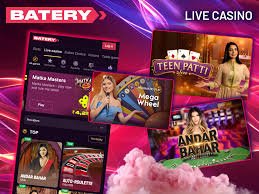
Missing the authentic ambient noise of a real casino floor? The live streaming section works beautifully on mobile. High-definition cameras broadcast real, professional human dealers directly to your screen. You can tap to place your chips on a digital betting overlay while watching the physical cards being dealt. Just a quick piece of advice: while the app is highly optimized, streaming live HD video does use data. If you are planning a marathon live blackjack session, make sure you are connected to a solid Wi-Fi network so your stream doesn't drop.
Batery Casino App FAQ
To wrap up this guide for our luckylegendscasino.cloud readers, let’s tackle the most common, rapid-fire questions we get about the mobile experience. Knowing the facts before you put your money on the line is always the smartest strategy.
Is it actually legal to use this app in Canada?
Yes, 100%. Canadian law does not prohibit individual residents from accessing and playing on internationally regulated digital platforms. The operator holds legitimate global licenses, ensuring a safe, heavily audited environment for all your entertainment needs.
Will playing these games drain my cellular data?
Modern slots and digital table games are actually highly optimized. Once the initial visual assets load, the data transmitted back and forth for each spin is very small. However, if you are playing Live Dealer games (which stream high-definition video), it will consume data much faster. Use Wi-Fi for live games if you have a strict data cap.
What happens if I get a phone call right in the middle of a winning spin?
Don't panic! The app is specifically engineered to handle real-world mobile interruptions. If you get a phone call, answer a text message, or temporarily lose cellular service on the subway, the game will automatically pause. The mathematical result of your bet is securely calculated on the casino's servers immediately. When you reopen the app, you will either pick up exactly where you left off, or your balance will already reflect your winnings.
Is my banking information actually safe on my phone?
Absolutely. The app uses military-grade 128-bit encryption technology to scramble your data. Furthermore, you can rely on your phone's native security features. By requiring Face ID, a fingerprint, or a complex passcode just to unlock your device, you add a massive layer of physical security that keeps your digital bankroll entirely safe from anyone else.
Can I claim the welcome bonuses through the app?
Yes. There is absolute parity between the desktop site and the mobile app. You have full access to the exact same welcome packages, weekly reload matches, free spins, and VIP perks. The mobile cashier even has a dedicated field to easily copy and paste your promo codes before making a deposit.
Do I need the newest iPhone or Android to run the app smoothly?
Not at all. Because the platform relies heavily on efficient cloud-based technology rather than requiring massive local processing power, the app runs beautifully on older devices. As long as you have a relatively modern smartphone from the last four or five years and an updated operating system, you will have a flawless experience.
How do I open an account from Canada?
Most players start by creating login details, entering personal information they can verify, and confirming that they are 18 or older. A good habit is to finish the profile carefully before making any payment, then review where the cashier, support area, and control settings are located. Imagine doing this on a phone while distracted - errors happen faster there, so slow down, check each field once, and save only what is accurate.
What should I check before the first deposit?
Start with the amount, not the method. If you know how long you want the session to last, it becomes easier to choose a funding route that suits that budget and to avoid entering more than planned. Picture the payment screen open in front of you: check account-name match, any visible minimums, and whether spending caps can be turned on before you confirm. That short review is often more useful than comparing methods by speed alone.